

Hey there! As a connector supplier, I've dealt with all sorts of network - related connector problems over the years. In this blog, I'm gonna share some tips on how to troubleshoot connector - related issues in a network.
First off, let's talk about the symptoms. You might notice slow network speeds, intermittent connectivity, or complete network outages. These are all red flags that there could be a problem with your connectors.
Physical Inspection
The first step in troubleshooting is a good old - fashioned physical inspection. Check if the connectors are properly plugged in. Loose connections are one of the most common culprits. Sometimes, just a little jostle can cause a connector to come loose. Make sure that the connectors are firmly seated in their ports.
For example, if you're using the JONHON C10514N1 - 04 - 3 - 1 G001 Metal Connector, give it a gentle tug to ensure it's securely connected. Also, look for any visible damage on the connectors. Bent pins, cracked shells, or frayed wires can all lead to connection problems. If you spot any damage, it's probably time to replace the connector.
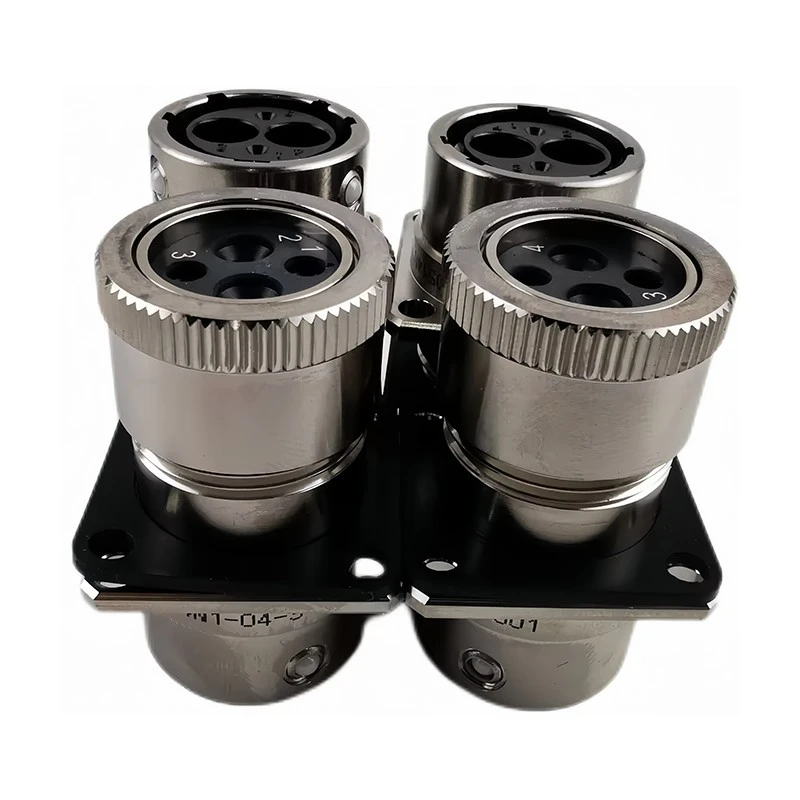

Cleaning the Connectors
Dirt, dust, and oxidation can also cause issues. Over time, these contaminants can build up on the connectors and interfere with the electrical signals. You can use a can of compressed air to blow out any dust or debris from the connectors. For more stubborn dirt, you can use a contact cleaner. Just make sure to follow the manufacturer's instructions when using any cleaning products.
Let's say you're using the JONHON C10514N1 - 04 - 4 - 1 Metal Connector. A little bit of cleaning can go a long way in restoring proper functionality. After cleaning, re - connect the connectors and see if the problem persists.
Compatibility Check
Another thing to consider is compatibility. Not all connectors are created equal, and using an incompatible connector can lead to all sorts of problems. Check the specifications of your devices and make sure that the connectors you're using are a good match.
For instance, if you're setting up an energy storage system, the PEC200 1500V 200A Energy Storage Battery System Connector Socket is designed to handle specific voltage and current levels. Using a connector with different specifications could result in poor performance or even damage to your equipment.
Testing with a Different Connector
If you've gone through all the above steps and still can't figure out the problem, try using a different connector. This can help you determine if the issue is with the connector itself or something else in the network. Swap out the suspect connector with a known - good one and see if the problem goes away.
Checking the Cable
Sometimes, the problem isn't with the connector but with the cable it's attached to. Check the cable for any signs of damage, like cuts or kinks. A damaged cable can disrupt the flow of data and cause connection problems. If you find a damaged cable, replace it with a new one.
Software and Configuration
Don't forget about software and configuration issues. Sometimes, a misconfigured network setting can make it seem like there's a connector problem. Check your network settings to make sure they're correct. You might need to restart your network devices, like routers or switches, to refresh the settings.
Monitoring the Network
Once you've made some changes, it's a good idea to monitor the network for a while. Keep an eye on the network speeds and connectivity. If the problem comes back, you might need to go back and re - evaluate your troubleshooting steps.
When to Seek Professional Help
If you've tried everything and still can't solve the problem, it might be time to call in a professional. There could be more complex issues at play, like problems with the network infrastructure or interference from other devices.
In conclusion, troubleshooting connector - related problems in a network can be a bit of a headache, but by following these steps, you can usually figure out what's going wrong. As a connector supplier, I'm here to help you with any questions you might have about connectors. Whether you need advice on choosing the right connector or help with troubleshooting, don't hesitate to reach out. If you're interested in purchasing connectors for your network, we can have a great discussion about your needs and how we can meet them.
References
- General knowledge from years of experience as a connector supplier.
- Manufacturer's guides for the mentioned connectors.